

Documentation Index
Fetch the complete documentation index at: https://docs.ardor.cloud/llms.txt
Use this file to discover all available pages before exploring further.
Overview
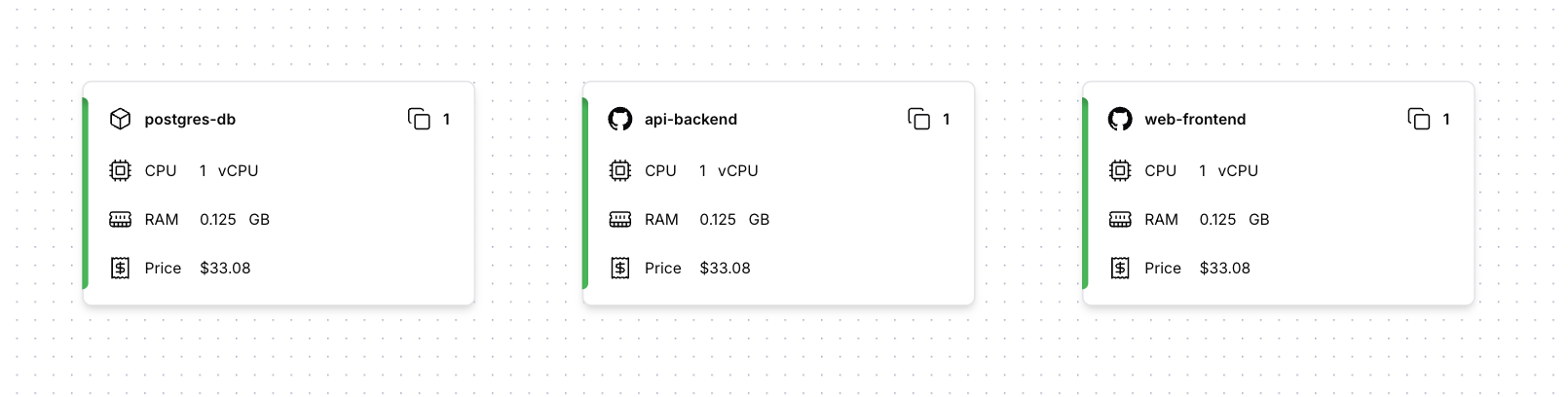
Creating a Service
Click Add Service and choose your source: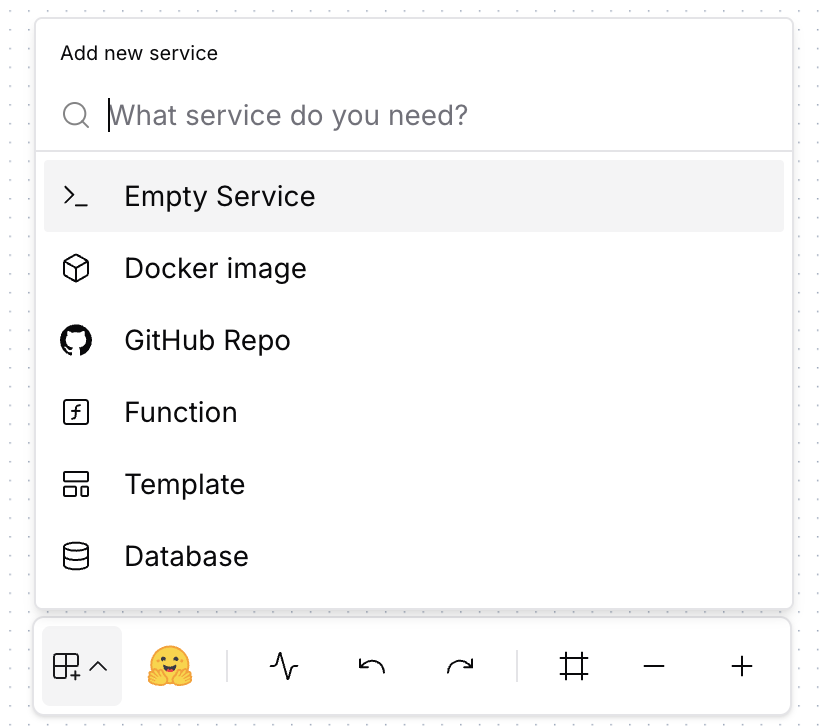
Docker Image
Deploy any public image from Docker Hub — databases, caches, ready-to-run apps
GitHub Repository
Import existing code from your GitHub repos with auto-deploy on push
Empty Service
Start from scratch — write your own code with Cerebrum’s help
After creation, Ardor initializes a dev container for your service. This may take some time depending on the service type.
Deployment
All services, except those based on Docker images, require aDockerfile in the project root. The Dockerfile defines how your application is built and containerized.
Dockerfile Requirements
Your Dockerfile should:
- Expose the port your application listens on
- Define the command to start your application
Deployments Guide
Learn how deployments work — build process, environments, rollbacks, auto-deploy, and troubleshooting failed builds.
Resource Configuration
Services require CPU, RAM, and optionally storage resources to run. Configure resource allocation using sliders to match your application’s requirements and expected usage patterns.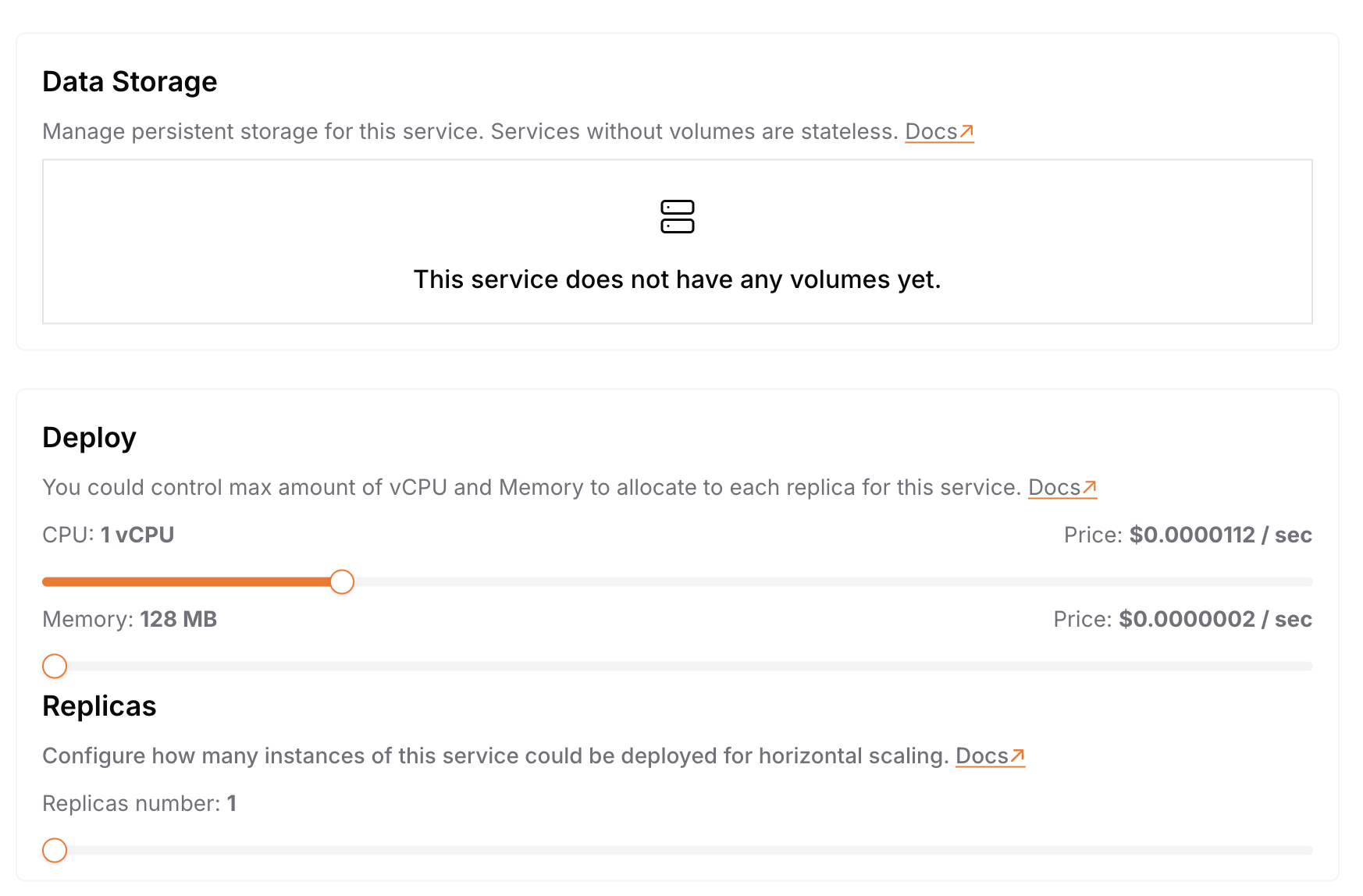
- CPU: Adjustable from 0.1 to 4 cores
- RAM: Configurable from 128MB to 8GB
- Storage: Optional persistent storage from 1GB to 16GB
Not sure how much you need? Start with minimal values and adjust based on actual usage. If your service needs more than the available limits — reach out to us!
Networking
Each service gets network connectivity with two access options:
| Visibility | Access | Best For |
|---|---|---|
| Public | Anyone via public URL | Web apps, APIs, webhooks |
| Private | Only other services via internal URL | Databases, caches, internal microservices |
Networking Guide
Learn how services connect, internal URLs, port configuration, and common architecture patterns.
Development Container
Each service gets its own isolated dev container — a live environment for you and Cerebrum to build, test, and iterate.- Isolated: Own filesystem, terminal, CPU/RAM, and development URL
- Connected: Can communicate with other services via internal URLs
- Live: Real-time code execution with hot reload
Application Entrypoint
When the dev container starts, it looks forapp_entrypoint.sh in your project root. If found — your app starts automatically. If not — container waits in standby mode.
Something not working? Just ask Cerebrum — it can read logs, debug issues, fix code, and restart your container.
Empty Service Guide
Learn how to set up
app_entrypoint.sh, project structure, and development workflow.Variables and Secrets
Configure your services with environment variables and securely store sensitive data.
| Type | Storage | Use for |
|---|---|---|
| Variables | Plain text, visible | Endpoints, feature flags, config paths |
| Secrets | Encrypted, masked | API keys, passwords, tokens |
Variables & Secrets Guide
Learn about naming conventions, common use cases, security best practices, and how to read variables in your code.
Logging
Ardor automatically captures everything your app writes tostdout and stderr — just use print() or your favorite logging library.

Logging Guide
Learn how to read logs, debug issues, add structured logging to your code, and best practices.
Best Practices
Resource Planning
Start with minimal resources and scale up based on actual usage.
Security
Use secrets for sensitive data. Never commit API keys to your repository.
Development Workflow
Build and test in dev container, then deploy to production.
Port Configuration
Always read the
PORT environment variable — don’t hardcode ports.What’s Next
Docker Images
Deploy databases, caches, and ready-to-run apps from Docker Hub
Empty Service
Build from scratch with your own code and Dockerfile
GitHub Integration
Connect repos, enable auto-deploy, manage branches
Deployments
Build process, rollbacks, and troubleshooting
Networking
Internal URLs, public access, and architecture patterns
Environments
Create isolated environments for features, staging, and production
Variables & Secrets
Configure services with environment variables
Logging
Monitor, debug, and understand your services