

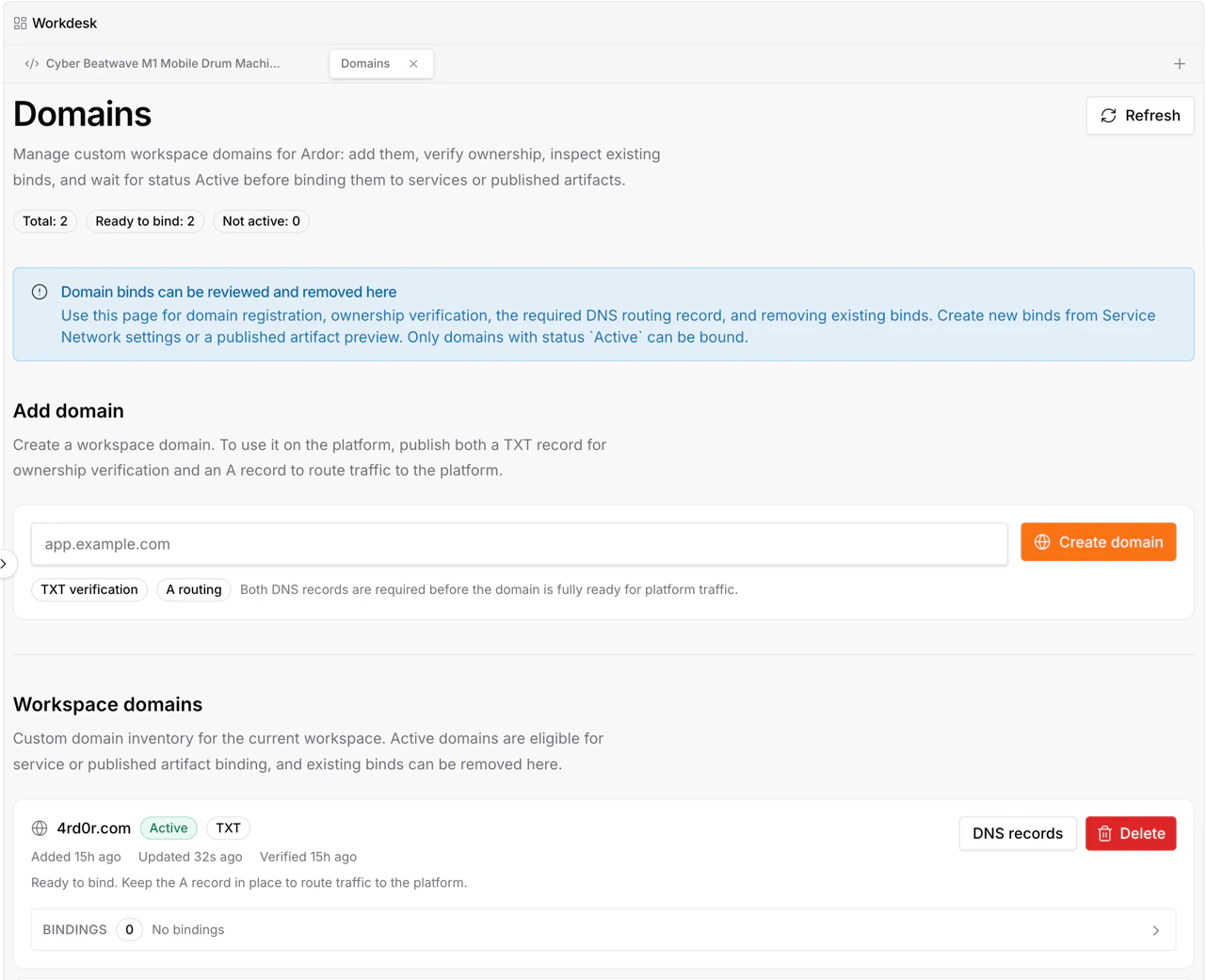
Overview
Custom domains let you use your own domain names with Ardor services and artifacts. A domain is first connected to a workspace through a DNS challenge. After the domain is verified, Ardor knows that your workspace controls it. From there, you can bind the same verified domain to a service or an artifact inside the platform.DNS verification is workspace-level. You do not need to change DNS records every time you move the domain between services or artifacts in Ardor.
How Custom Domains Work
The domain lifecycle has two parts:| Step | What happens |
|---|---|
| Verify domain | Add the domain in Ardor, create the required DNS records, and verify ownership |
| Bind domain | Choose where the verified domain should route: a service or an artifact |
Add and Verify a Domain
Create the domain in Ardor
Open the domains interface and create a new custom domain for your workspace.
Create records with your DNS provider
Copy the required records into your DNS provider. The exact records depend on the domain and the verification challenge.
Bind a Domain
After verification, the domain can be bound to a service or an artifact.Bind to a service
Route the domain to a public service in a specific environment.
Bind to an artifact
Route the domain to a frontend artifact such as a landing page, presentation, or visualization.
Periodic Reverification
Ardor re-checks domain verification periodically. This protects workspaces from stale or transferred domain ownership. Keep the DNS records active for as long as you want to use the domain with Ardor. If the records are removed or changed, future re-verification may fail.Best Practices
Keep DNS records in place
Keep DNS records in place
Verification records are not one-time setup records. Leave them in your DNS provider after the domain is verified.
Verify before binding
Verify before binding
Finish workspace-level verification first, then bind the domain to a service or artifact.
Redeploy services after changes
Redeploy services after changes
When a service custom domain binding changes, redeploy the environment so routing and system variables are updated at runtime.
Rebind inside Ardor
Rebind inside Ardor
After verification, use Ardor to move the domain between platform targets. DNS records only need to stay valid.
Troubleshooting
Verification fails
Verification fails
Check that the DNS records exactly match the records shown in Ardor. DNS propagation can take time, so wait a few minutes before trying again.
The domain stopped working after verification
The domain stopped working after verification
Make sure the DNS records were not removed or changed. Ardor periodically re-verifies domains.
A service does not see the new domain
A service does not see the new domain
Redeploy the service environment after saving the domain binding. The redeploy updates runtime configuration and system variables.
I want to move the domain to another target
I want to move the domain to another target
Change the binding inside Ardor. If the domain remains verified, you do not need to change DNS records.
What’s Next
Networking
Learn how services expose public URLs and custom domains
Artifacts
Create frontend artifacts for landing pages, presentations, and visualizations