> ## Documentation Index
> Fetch the complete documentation index at: https://docs.ardor.cloud/llms.txt
> Use this file to discover all available pages before exploring further.
# Networking
> Connect your services together, configure ports, and control public vs private access.
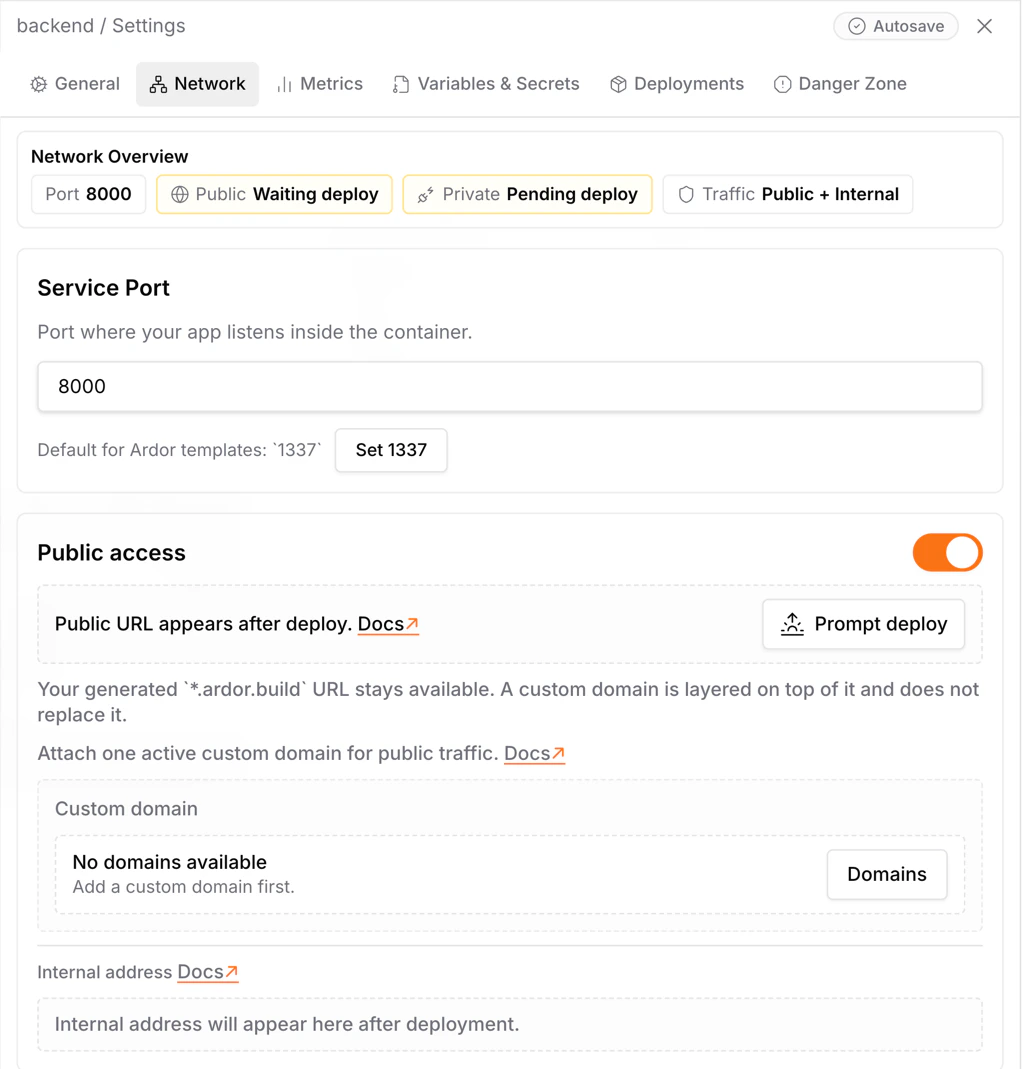 ## Overview
Every service in Ardor gets network connectivity out of the box. Services can talk to each other over the internal network, and you can expose them publicly when needed.
**Cerebrum configures networking.** Ask "connect my API to the database" or "make this service public" — Cerebrum will set up the connections and environment variables. The details below explain how it works.
Services communicate privately using internal URLs. Fast, secure, no internet roundtrip.
Expose services to the internet with a public URL for APIs, websites, and webhooks.
## How Services Connect
Each service gets two URLs:
| URL Type | Use For |
| ------------ | -------------------------------- |
| **Internal** | Service-to-service communication |
| **Public** | Browser access, external clients |
### Cross-Service Communication
Backend services can reach any other service by its internal URL:
```mermaid theme={null}
flowchart LR
API[API Backend] -->|internal| DB[(PostgreSQL)]
API -->|internal| Cache[(Redis)]
Worker[Background Worker] -->|internal| DB
Worker -->|internal| Queue[(RabbitMQ)]
```
**Browser can't use internal URLs.** If your frontend runs in the browser (React, Vue, etc.), it's outside Ardor's network. Set up a reverse proxy in your frontend service to route API requests internally — this is the recommended pattern.
## Public vs Private Services
When configuring a service, you choose its visibility:
**When to use:**
* Web applications users visit
* APIs external clients call
* Webhook endpoints
**What happens:**
* Service gets a public URL: `https://-.ardor.cloud`
* Anyone on the internet can access it
* Still accessible internally too
**When to use:**
* Databases (PostgreSQL, MongoDB, Redis)
* Internal microservices
* Background workers
* Anything that shouldn't be exposed
**What happens:**
* No public URL
* Only reachable via internal URL
* More secure — no attack surface from internet
**Never expose databases publicly.** Always keep them private and connect from your backend services using internal URLs.
## Bind Custom Domain
## Overview
Every service in Ardor gets network connectivity out of the box. Services can talk to each other over the internal network, and you can expose them publicly when needed.
**Cerebrum configures networking.** Ask "connect my API to the database" or "make this service public" — Cerebrum will set up the connections and environment variables. The details below explain how it works.
Services communicate privately using internal URLs. Fast, secure, no internet roundtrip.
Expose services to the internet with a public URL for APIs, websites, and webhooks.
## How Services Connect
Each service gets two URLs:
| URL Type | Use For |
| ------------ | -------------------------------- |
| **Internal** | Service-to-service communication |
| **Public** | Browser access, external clients |
### Cross-Service Communication
Backend services can reach any other service by its internal URL:
```mermaid theme={null}
flowchart LR
API[API Backend] -->|internal| DB[(PostgreSQL)]
API -->|internal| Cache[(Redis)]
Worker[Background Worker] -->|internal| DB
Worker -->|internal| Queue[(RabbitMQ)]
```
**Browser can't use internal URLs.** If your frontend runs in the browser (React, Vue, etc.), it's outside Ardor's network. Set up a reverse proxy in your frontend service to route API requests internally — this is the recommended pattern.
## Public vs Private Services
When configuring a service, you choose its visibility:
**When to use:**
* Web applications users visit
* APIs external clients call
* Webhook endpoints
**What happens:**
* Service gets a public URL: `https://-.ardor.cloud`
* Anyone on the internet can access it
* Still accessible internally too
**When to use:**
* Databases (PostgreSQL, MongoDB, Redis)
* Internal microservices
* Background workers
* Anything that shouldn't be exposed
**What happens:**
* No public URL
* Only reachable via internal URL
* More secure — no attack surface from internet
**Never expose databases publicly.** Always keep them private and connect from your backend services using internal URLs.
## Bind Custom Domain
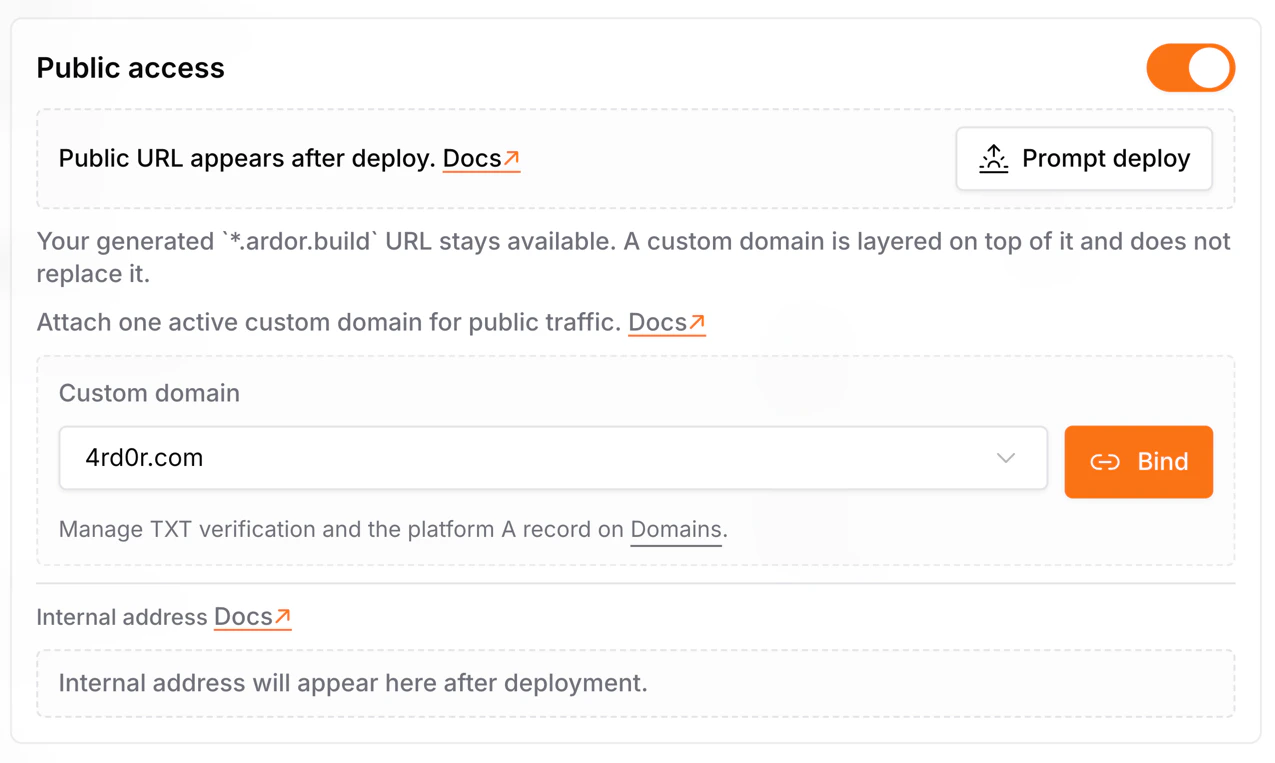 You can bind a [custom domain](/docs/custom-domains/custom-domain) to a service in a specific environment. The service must be **Public** for that.
Select the environment where the domain should route traffic, such as development, staging, or production. Domain bindings are environment-specific.
Pick the service that should receive traffic for the domain. Private services cannot be selected as custom domain targets.
Deploy the environment after saving the binding so the updated networking configuration is applied at runtime.
After you select a [custom domain](/docs/custom-domains/custom-domain), Ardor updates the relevant [system variables](/docs/services/variables-and-secrets#system-variables) for that service.
Changing or removing a [custom domain](/docs/custom-domains/custom-domain) follows the same rule: save the change, then deploy the environment so services receive the updated [system variables](/docs/services/variables-and-secrets#system-variables) and routing configuration.
## Port Configuration
Each service listens on a specific port. Ardor passes this as the `PORT` environment variable.
### How Ports Work
1. You configure the port in service settings (default: 8080)
2. Ardor injects it as `PORT` environment variable
3. Your app reads `PORT` and listens on it
4. Both internal and public URLs route to this port
### Reading the Port
```python theme={null}
import os
port = int(os.environ.get('PORT', 8080))
app.run(host='0.0.0.0', port=port)
```
```javascript theme={null}
const port = process.env.PORT || 8080;
app.listen(port, '0.0.0.0');
```
```go theme={null}
port := os.Getenv("PORT")
if port == "" {
port = "8080"
}
http.ListenAndServe("0.0.0.0:"+port, nil)
```
Always bind to `0.0.0.0`, not `localhost` or `127.0.0.1`. Otherwise your service won't be reachable from outside the container.
### Port in Internal URL
The port is included in the internal URL you get from service settings. Use it directly — no need to specify the port separately.
## Common Patterns
### API + Database
```mermaid theme={null}
flowchart LR
Internet((Internet)) --> API[API Backend
You can bind a [custom domain](/docs/custom-domains/custom-domain) to a service in a specific environment. The service must be **Public** for that.
Select the environment where the domain should route traffic, such as development, staging, or production. Domain bindings are environment-specific.
Pick the service that should receive traffic for the domain. Private services cannot be selected as custom domain targets.
Deploy the environment after saving the binding so the updated networking configuration is applied at runtime.
After you select a [custom domain](/docs/custom-domains/custom-domain), Ardor updates the relevant [system variables](/docs/services/variables-and-secrets#system-variables) for that service.
Changing or removing a [custom domain](/docs/custom-domains/custom-domain) follows the same rule: save the change, then deploy the environment so services receive the updated [system variables](/docs/services/variables-and-secrets#system-variables) and routing configuration.
## Port Configuration
Each service listens on a specific port. Ardor passes this as the `PORT` environment variable.
### How Ports Work
1. You configure the port in service settings (default: 8080)
2. Ardor injects it as `PORT` environment variable
3. Your app reads `PORT` and listens on it
4. Both internal and public URLs route to this port
### Reading the Port
```python theme={null}
import os
port = int(os.environ.get('PORT', 8080))
app.run(host='0.0.0.0', port=port)
```
```javascript theme={null}
const port = process.env.PORT || 8080;
app.listen(port, '0.0.0.0');
```
```go theme={null}
port := os.Getenv("PORT")
if port == "" {
port = "8080"
}
http.ListenAndServe("0.0.0.0:"+port, nil)
```
Always bind to `0.0.0.0`, not `localhost` or `127.0.0.1`. Otherwise your service won't be reachable from outside the container.
### Port in Internal URL
The port is included in the internal URL you get from service settings. Use it directly — no need to specify the port separately.
## Common Patterns
### API + Database
```mermaid theme={null}
flowchart LR
Internet((Internet)) --> API[API Backend
Public]
API -->|internal URL| DB[(PostgreSQL
Private)]
```
**Setup:**
1. PostgreSQL service — **Private**
2. API service — **Public**, connects via internal URL stored in env var
### Frontend + Backend + Database (Recommended)
```mermaid theme={null}
flowchart LR
Browser((Browser)) -->|public URL| FE[Frontend + Proxy
Public]
FE -->|internal URL| API[API Backend
Private]
API -->|internal URL| DB[(PostgreSQL
Private)]
API -->|internal URL| Cache[(Redis
Private)]
```
**Setup:**
1. PostgreSQL — **Private**
2. Redis — **Private**
3. API Backend — **Private**, only reachable via internal URL
4. Frontend — **Public** with reverse proxy, routes `/api/*` to backend internally
**Best practice:** Keep your API backend private and route requests through your frontend's reverse proxy. This way only one service is exposed to the internet.
### Frontend + Public API (when needed)
If you intentionally need a public API (for external clients, mobile apps, webhooks):
```mermaid theme={null}
flowchart LR
Browser((Browser)) -->|public URL| FE[Frontend
Public]
Browser -->|public URL| API[API Backend
Public]
External[External Clients] -->|public URL| API
API -->|internal URL| DB[(PostgreSQL
Private)]
```
**Use this when:**
* External apps need to call your API directly
* You're building a public API for third parties
* Mobile apps need direct backend access
### Microservices
```mermaid theme={null}
flowchart LR
Internet((Internet)) --> Gateway[API Gateway
Public]
Gateway -->|internal| Users[Users Service
Private]
Gateway -->|internal| Orders[Orders Service
Private]
Users -->|internal| DB[(Database
Private)]
Orders -->|internal| DB
```
**Setup:**
* Only the API Gateway is public
* All microservices are private, communicate via internal URLs
## Troubleshooting
**Check:**
* Is the target service running? Check its status and logs
* Are you using the correct internal URL and port?
* Are both services in the same environment?
**Ask Cerebrum** to help diagnose connection issues.
**Cause:** Target service isn't listening on the expected port.
**Check:**
* Is the service reading the `PORT` environment variable?
* Is it binding to `0.0.0.0`?
* Check the service logs for startup errors
**Check:**
* Is the service set to **Public** visibility?
* Is the service running and healthy?
* Is it listening on the configured port?
**Check:**
* Is the database service running?
* Are you using the internal URL (not trying to connect externally)?
* Check database logs for connection limit issues
## Best Practices
Never expose databases to the internet. Always use private visibility and connect via internal URLs.
Unless you need a public API for external clients, keep your backend private and route requests through your frontend's reverse proxy. One public endpoint = smaller attack surface.
Don't hardcode internal URLs. Store them in variables so you can change them without code changes.
```python theme={null}
DATABASE_HOST = os.environ['DATABASE_HOST']
```
Only expose what needs to be public. Fewer public endpoints = smaller attack surface.
Add authentication for extra security on services that handle sensitive data.
## What's Next
Store connection strings and credentials securely
Deploy databases and caches from Docker Hub
Deploy your connected services to production
Debug connection issues with logs