> ## Documentation Index
> Fetch the complete documentation index at: https://docs.ardor.cloud/llms.txt
> Use this file to discover all available pages before exploring further.
# Artifacts
> Artifacts are a fast track for creating frontend applications, landing pages, UI experiments, presentations, and visualizations.
 ## Overview
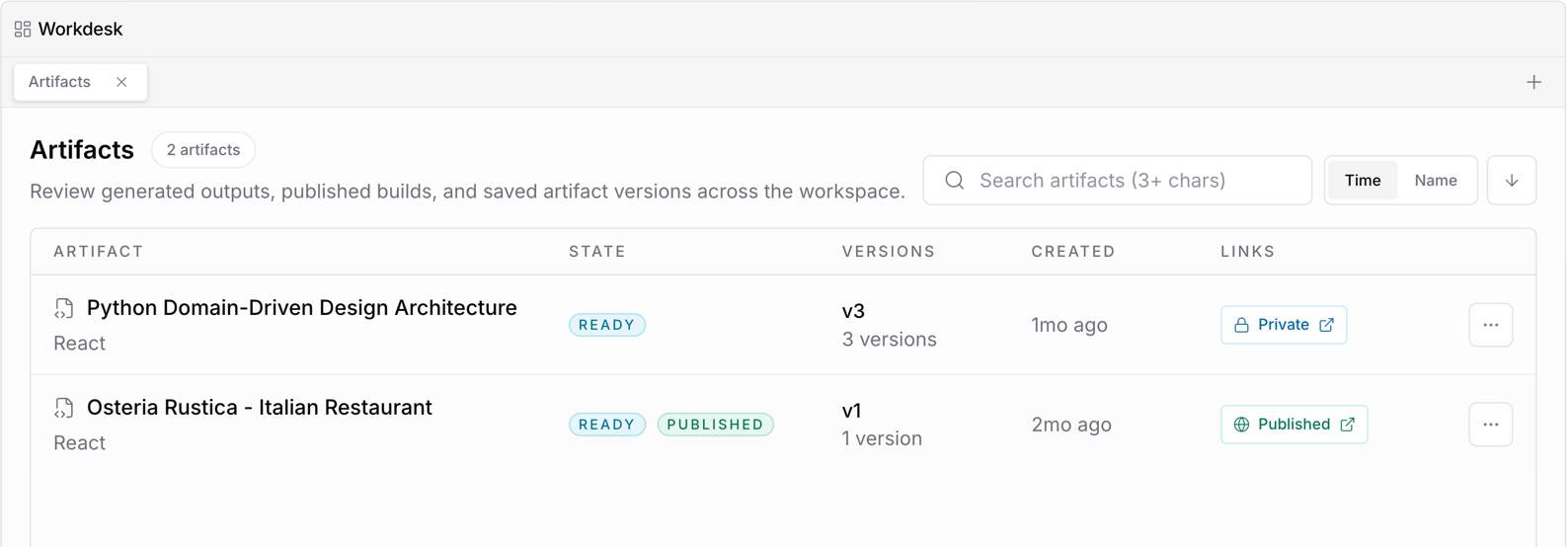
Artifacts are the fastest way to create frontend applications in Ardor. They are designed for work that should move from idea to usable interface in minutes: landing pages, UI experiments, presentations, dashboards, visualizations, and interactive prototypes.
Use artifacts when you want to quickly shape, test, or share a visual experience without setting up a full service first.
**Cerebrum can build artifacts for you.** Describe the landing page, dashboard, prototype, or visualization you want, and Cerebrum will create the artifact and iterate with you.
Artifacts are ideal for fast frontend work. If you need a backend, persistent runtime, internal networking, or production service configuration, use a service.
## What You Can Build
Launch polished pages for products, campaigns, waitlists, experiments, and demos.
Try new layouts, flows, components, and visual styles before turning them into product work.
Create interactive or visual presentation experiences for product ideas, demos, and internal updates.
Turn concepts, data, workflows, or system behavior into clear visual interfaces.
## Why Use Artifacts
Artifacts are optimized for speed and iteration. They help you explore an idea visually before deciding whether it should become a full application, service, or production feature.
| Need | Why artifacts fit |
| ------------------------------- | -------------------------------------------------------------- |
| Create something visual quickly | Artifacts can be built in minutes |
| Test a product direction | You can try multiple UI versions without heavy setup |
| Share an idea | Artifacts make concepts easier to review and discuss |
| Present a workflow | Interactive screens communicate better than static notes |
| Visualize anything | Turn abstract ideas, diagrams, or data into something concrete |
## Bind Custom Domain
## Overview
Artifacts are the fastest way to create frontend applications in Ardor. They are designed for work that should move from idea to usable interface in minutes: landing pages, UI experiments, presentations, dashboards, visualizations, and interactive prototypes.
Use artifacts when you want to quickly shape, test, or share a visual experience without setting up a full service first.
**Cerebrum can build artifacts for you.** Describe the landing page, dashboard, prototype, or visualization you want, and Cerebrum will create the artifact and iterate with you.
Artifacts are ideal for fast frontend work. If you need a backend, persistent runtime, internal networking, or production service configuration, use a service.
## What You Can Build
Launch polished pages for products, campaigns, waitlists, experiments, and demos.
Try new layouts, flows, components, and visual styles before turning them into product work.
Create interactive or visual presentation experiences for product ideas, demos, and internal updates.
Turn concepts, data, workflows, or system behavior into clear visual interfaces.
## Why Use Artifacts
Artifacts are optimized for speed and iteration. They help you explore an idea visually before deciding whether it should become a full application, service, or production feature.
| Need | Why artifacts fit |
| ------------------------------- | -------------------------------------------------------------- |
| Create something visual quickly | Artifacts can be built in minutes |
| Test a product direction | You can try multiple UI versions without heavy setup |
| Share an idea | Artifacts make concepts easier to review and discuss |
| Present a workflow | Interactive screens communicate better than static notes |
| Visualize anything | Turn abstract ideas, diagrams, or data into something concrete |
## Bind Custom Domain
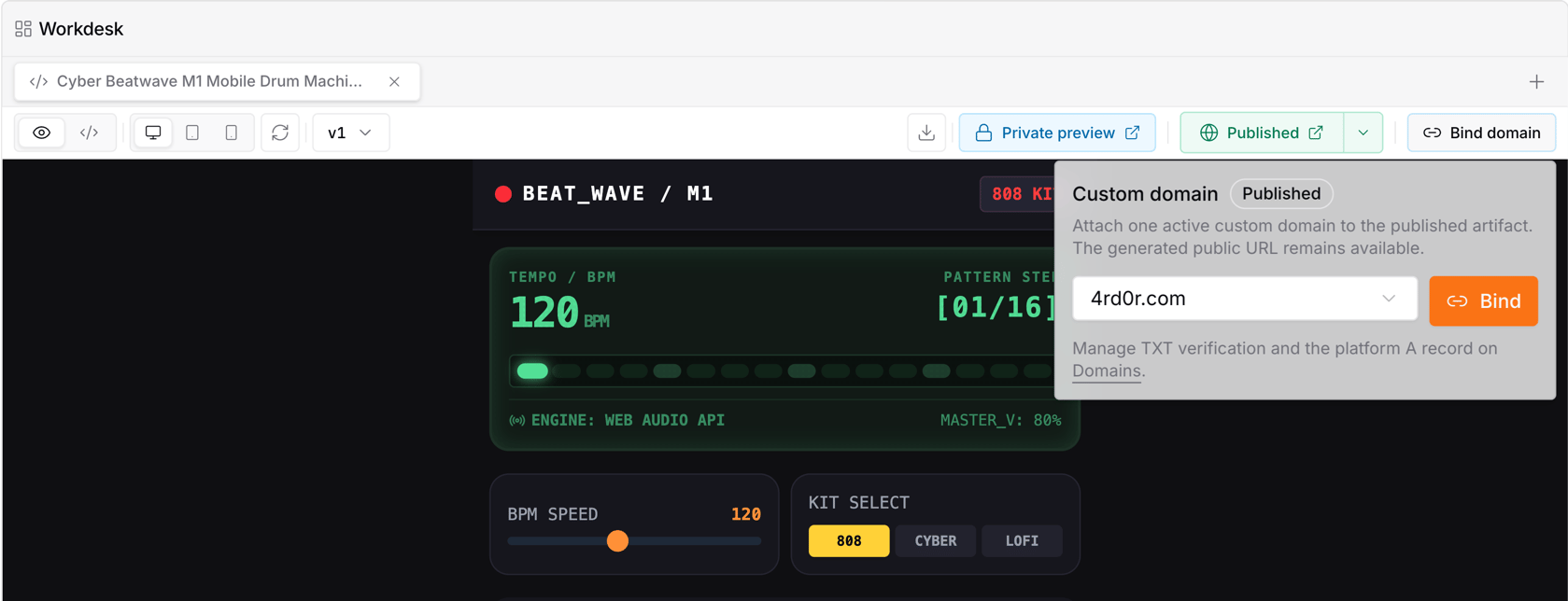 You can bind a [custom domain](/docs/custom-domains) to an artifact from the artifact page. After the domain is selected, it is applied immediately.
## When to Use a Service Instead
Use a service when the frontend needs a persistent backend, custom runtime, database connections, background jobs, private networking, or production deployment controls.
Artifacts are best for the frontend layer and visual exploration. Services are best for application logic and runtime infrastructure.
## What's Next
Understand how project resources fit together
Keep product context, plans, and notes inside a solution
Build backend services and production runtime components
Verify a domain and bind it to services or artifacts
You can bind a [custom domain](/docs/custom-domains) to an artifact from the artifact page. After the domain is selected, it is applied immediately.
## When to Use a Service Instead
Use a service when the frontend needs a persistent backend, custom runtime, database connections, background jobs, private networking, or production deployment controls.
Artifacts are best for the frontend layer and visual exploration. Services are best for application logic and runtime infrastructure.
## What's Next
Understand how project resources fit together
Keep product context, plans, and notes inside a solution
Build backend services and production runtime components
Verify a domain and bind it to services or artifacts