> ## Documentation Index
> Fetch the complete documentation index at: https://docs.ardor.cloud/llms.txt
> Use this file to discover all available pages before exploring further.
# Manage Your Account
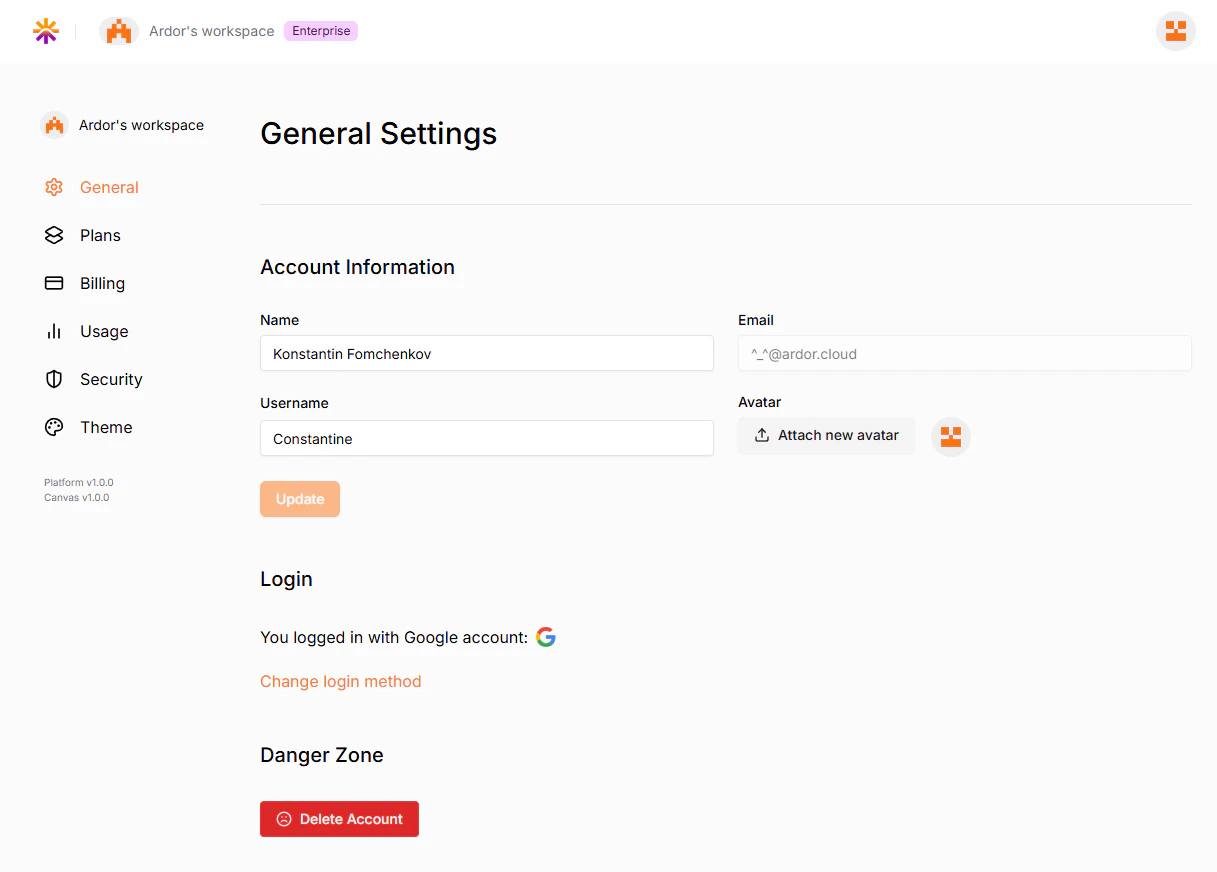
> The Account Settings page allows users to manage their personal information, login credentials, and account-related settings within Ardor's workspace. This section provides an overview of the available features and functionalities.
 ## Sections and Features
### General Settings
This section enables users to update their account information and manage key details.
* **Name**: Displays the user's full name. This field can be edited to update the name.
* **Username**: A unique identifier for the user within the platform.
* **Email**: Displays the registered email address (read-only), you are not able to change it.
* **Avatar**: Users can upload or change their profile picture using the "Attach new avatar" button.
### Login Information
This section displays the user's registered email address used for login.
Users have the flexibility to switch between different authentication providers for logging into their account:
* **Switch to login with Google** – Enables authentication via a Google account.
* **Switch to login with GitHub** – Enables authentication via a GitHub account.
* **Switch to login with Email** – Enables authentication via an Email account.
By selecting one of these options, the user will be redirected to the respective authentication service, and their login method will be updated accordingly.
### Danger Zone
This section provides an option for account deletion.
**Delete Account**: A red button that allows users to permanently delete their account. This action is irreversible and will remove all associated data.
## Sections and Features
### General Settings
This section enables users to update their account information and manage key details.
* **Name**: Displays the user's full name. This field can be edited to update the name.
* **Username**: A unique identifier for the user within the platform.
* **Email**: Displays the registered email address (read-only), you are not able to change it.
* **Avatar**: Users can upload or change their profile picture using the "Attach new avatar" button.
### Login Information
This section displays the user's registered email address used for login.
Users have the flexibility to switch between different authentication providers for logging into their account:
* **Switch to login with Google** – Enables authentication via a Google account.
* **Switch to login with GitHub** – Enables authentication via a GitHub account.
* **Switch to login with Email** – Enables authentication via an Email account.
By selecting one of these options, the user will be redirected to the respective authentication service, and their login method will be updated accordingly.
### Danger Zone
This section provides an option for account deletion.
**Delete Account**: A red button that allows users to permanently delete their account. This action is irreversible and will remove all associated data.